How to Split a List into Random Teams Fairly
Turn a list of names into balanced random groups by choosing team size or team count first, removing duplicates and keeping the rules simple.
Random Team Generator
Split a list of names into fair, evenly sized random teams.
Open Random Team Generator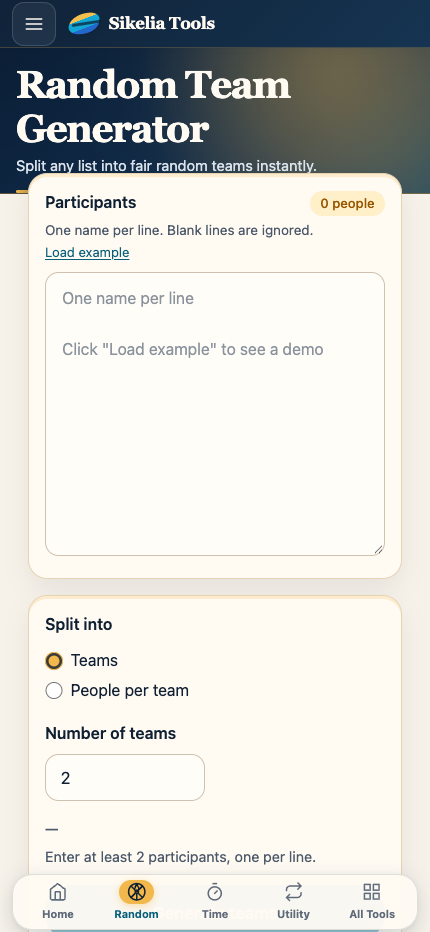
Random teams are useful when you want to avoid the awkwardness of choosing groups by hand. Paste the names, decide how many groups you need, and let the tool create the teams for you.
The best results come from making a few simple decisions before you press generate.
Start with the final list of people
Use one name per person and remove accidental duplicates. If “Sam” appears twice, the generator may treat those as two separate entries.
If two people have the same name, add a small identifier such as an initial so everyone can tell them apart.
Try to finalize the list before generating. Adding and removing people after you have seen the teams can make the process feel less neutral.
Choose team count or team size
Think about what matters most for your activity.
If you need exactly four groups for four tables, choose the number of teams.
If the activity works best with about three people in each group, choose the team size instead.
When the number of people cannot be divided perfectly, some groups may contain one more person than others. That is normal. The goal is to keep the difference as small as possible.
Use random teams for the right kinds of tasks
Random grouping works well for:
- classroom exercises;
- casual games;
- workshop breakout groups;
- party activities;
- practice sessions;
- choosing temporary project pairs;
- rotating participants between stations.
If you have important constraints — for example, every group must contain a person with a specific skill — pure random grouping may not be enough. In that case, create the teams with those rules in mind rather than repeatedly generating until you happen to like the result.
Avoid regenerating just because one team looks surprising
Random teams will sometimes produce combinations you would not have chosen yourself. That is part of the point.
If you keep pressing generate until the groups look familiar, you are gradually replacing randomness with your own preferences.
A better rule is to regenerate only when there is a real reason, such as a missing participant, a duplicate entry or a requirement you forgot to include before starting.
Make the process visible when fairness matters
If the group cares about how teams are created, generate them where everyone can see the list and the result.
This is especially useful in classrooms and games because people can see that the same list was used for everyone and that no one was quietly assigned by hand.
You can also copy the finished teams into a message, document or presentation so everyone has the same version.
A quick workflow
- Collect all participant names.
- Remove duplicates and fix unclear labels.
- Decide whether team count or team size matters more.
- Add the list to the Random Team Generator.
- Generate once.
- Check that every person appears exactly once.
- Share the groups and start the activity.
The tool is there to remove the manual picking. Keep the setup simple and the result becomes easy to explain to everyone involved.
Random Team Generator
Split a list of names into fair, evenly sized random teams.
Open Random Team Generator